
Key Takeaways
- Learn proper cleaning methods to ensure your iPhone remains sanitized and germ-free.
- Safeguard yourself and reduce the risk of virus transmission through your phone.
- Find out the best cleaning products and practices to maintain a corona-protected iPhone.
- Follow expert tips to keep your iPhone clean without damaging its components.
- Understand the importance of regular cleaning for personal hygiene and safety.
- Stay informed about corona protection measures for electronic devices like iPhones.
- Learn how to maintain a healthy and sanitized phone to minimize potential health risks.
- Prioritize your well-being with proper cleaning practices to keep your iPhone virus-free.
- Trust our guide to safeguard yourself and keep your iPhone clean and protected in these challenging times.
In this blog, We will be sharing how to clean your iPhone & disinfect it without causing any damage.
Although, with the new line up of iPhones like the iPhone 11, it’s alright to use some soap & water to clean it. Despite, proper care should be taken while cleaning & disinfecting your device to safeguard it from any potential damage.
So, let’s get started on how to clean iPhone?
Here are the guidelines as laid down by Apple to clean the iPhone 11 Series:
- Unplug all cables and then power off your iPhone.
- Use a soft, little damp, lint-free cloth—for example, a lens cloth.
- If the dirt is still present, use a soft, lint-free cloth with warm soapy water.
- Make sure to avoid getting moisture in openings.
- Don’t use cleaning products or compressed air.
Further, Below, I’ll be sharing several ways to clean & sanitize your iPhone without causing any damage.
1. Using an antimicrobial microfiber cleaning cloth-
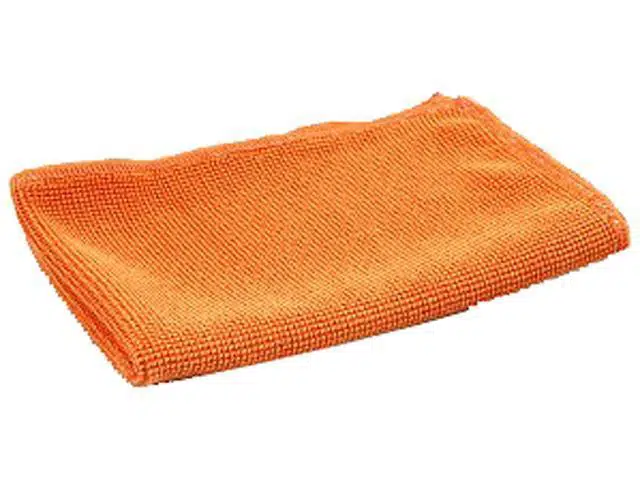
- As Apple supports on its website, the easiest method to clean your iPhone without making it prone to any damage is using a soft & lint-free antimicrobial cloth.
- You may also dampen it with a little water & soap to get rid of the unwanted debris lying on your phone.
- Make sure you unplug & turn off the device before cleaning.
2. Using a screen protector & disinfecting wipes-

Using a screen protector will keep your iPhone protected from damage while cleaning with wipes.
With the screen protector on, use a disinfecting wipe like Clorox or Lysol wipes, or 70 percent isopropyl alcohol wipe & gently wipe down your phone.
Note: Don’t apply directly to your phone. Dab it on a small microfiber cloth and then wipe down your iPhone.

3. Use a UV smartphone cleaner-
The most effective & the best solution available in the market to clean & disinfect iPhone is using Phone Soap. Although it’s expensive but provides an easy & quick fix.
Phone soap is a clinically proven UV phone sanitizer that uses two UV-C bulbs & kills 99% of the bacteria and viruses on your phone.
That being said, keep your hands clean & disinfected & be mindful of where you’re putting your phone.
Final Thoughts:
In conclusion, safeguarding your iPhone from potential contamination is crucial in the current environment. Our blog highlights three effective ways to clean and disinfect your iPhone to keep it corona-protected. By following these methods, you can maintain a clean and safe device while also protecting yourself and others. Regularly cleaning your iPhone not only helps prevent the spread of germs but also ensures your phone remains in optimal condition. Trust these simple yet essential cleaning techniques to keep your iPhone free from harmful pathogens and enjoy peace of mind in these challenging times. Stay safe and prioritize hygiene with our recommended cleaning practices for your iPhone.
At iFixScreens, we understand the importance of maintaining a clean and sanitized iPhone, especially in the face of current challenges. Our expert team is dedicated to providing valuable information and solutions to keep your device corona-protected. If you ever encounter any issues while cleaning your iPhone or need professional assistance, our skilled technicians are here to help. From iPhone screen repair to hardware repairs, iFixScreens is committed to ensuring your iPhone remains in top-notch condition, allowing you to stay connected while prioritizing your health and safety. Trust us to keep your iPhone functioning flawlessly and corona-protected, providing you with peace of mind during these uncertain times.
- iPhone Black Screen? 5 Easy Steps Solution For The Problem
- List Of Google Pixel 3 And Pixel 3 XL Common Problems
- Issues With Samsung Galaxy S20 And Their Easy Fix